


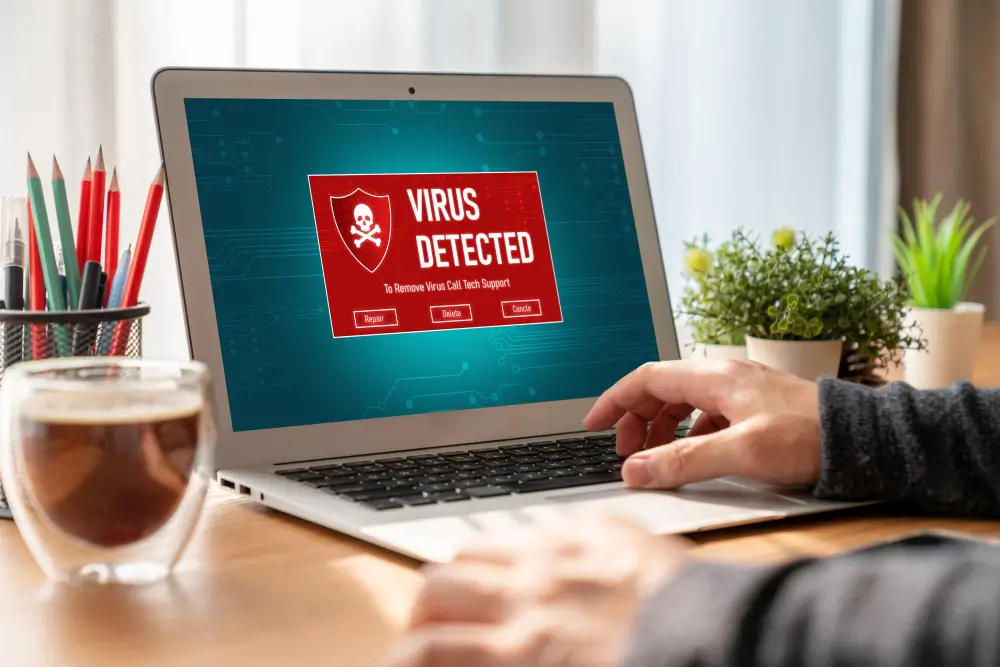
Computers Plus’ Sedona Computer Virus Removal
Computers Plus offers expert Sedona computer virus removal services that effectively tackle malicious threats. Their approach guarantees thorough virus eradication, safeguarding personal and business devices from potential breaches. By using advanced virus protection software, they help maintain peak system performance and data integrity. Users can expect a user-friendly experience throughout the removal process. For those looking to enhance their understanding of virus prevention, further insights await.
Understanding Computer Viruses
Understanding computer viruses is essential for maintaining the health of any device.
These malicious programs can spread through various means, presenting a range of threats that impact performance and security.
Recognizing the signs of infection and the common types of viruses can empower users to take proactive measures against potential harm.
What Is A Computer Virus?
A computer virus is a malicious software program designed to replicate itself and spread from one computer to another, often without the user’s knowledge.
These harmful entities can disrupt system performance, compromise data integrity, and invade personal privacy.
Understanding computer viruses is essential for protecting one’s digital environment, fostering a sense of community among users united in the quest for safe technology experiences.
How Do Computer Viruses Spread?
Computer viruses can infiltrate systems through various means, making awareness of their spread essential for users.
They often propagate via email attachments, malicious downloads, and infected removable drives.
Social engineering tactics, such as phishing, also play a significant role in tricking users into activating these harmful programs.
Understanding these pathways empowers individuals to safeguard their devices, fostering a sense of belonging within a vigilant community.
Common Types Of Computer Viruses
While many users may not realize it, familiarizing oneself with common computer viruses is essential for maintaining a secure digital environment.
These include viruses, worms, Trojans, and ransomware, each posing unique threats. Understanding their characteristics helps users recognize potential risks, fostering a sense of community awareness.
Effects Of Computer Viruses On Your Device
Although many users may underestimate their impact, computer viruses can have profound and far-reaching effects on devices.
Key consequences include:
- Decreased Performance: Viruses can slow down system operations considerably.
- Data Loss: Critical files may become corrupted or deleted.
- Security Breaches: Sensitive information could be compromised, leading to identity theft.
Understanding these effects is essential for maintaining device integrity and ensuring digital safety.
Signs That Your Computer May Be Infected With A Virus
How can one tell if their device is harboring a hidden virus? Signs include a sluggish performance, unexpected pop-up ads, and frequent crashes.
Additionally, program launches that seem delayed or unfamiliar can indicate an infection. By recognizing these symptoms early, individuals can seek professional help, ensuring their devices remain secure and functional within their community of users who value reliable technology.
Importance Of Virus Protection Software

The necessity of virus protection software cannot be overstated. It serves as a vital barrier against the myriad threats that can compromise computer systems.
With various options available, users must consider the specific features and technological advancements that best suit their individual needs.
Selecting the right virus protection software is essential for maintaining ideal performance and safeguarding sensitive information from attacks.
Why Every Computer Needs Virus Protection
When considering the vast array of threats in today’s digital landscape, it becomes clear that every computer requires robust virus protection software to safeguard its integrity.
- Prevents data loss and identity theft.
- Guarantees peak performance by eliminating harmful software.
- Provides peace of mind, allowing users to navigate the digital world confidently.
These benefits highlight the essential role of virus protection in maintaining a secure online presence.
Top Virus Protection Software Options
Numerous virus protection software options are available, each offering unique features to combat the digital domain’s ever-evolving threats.
These solutions not just safeguard personal data but also enhance overall system performance.
How To Choose The Right Virus Protection For Your Needs
How can individuals guarantee their digital safety in an increasingly complex cyber landscape?
Choosing the proper virus protection is essential. Consider these factors:
- Compatibility: Confirm the software works with your operating system.
- User-Friendly Interface: A simple design enhances usability.
- Support Services: Access to customer support can provide peace of mind.
Making an informed choice fosters a sense of security and belonging in the digital community.
Features To Look For In Virus Protection Software
While maneuvering through the complexities of the digital world, selecting the right virus protection software becomes paramount for safeguarding personal and sensitive information.
Essential features include real-time scanning, automatic updates, and user-friendly interfaces.
Additionally, robust customer support and multi-device compatibility foster a sense of security and community, ensuring users feel confident in their digital safety while connecting with others in an increasingly online world.
Advancements In Virus Protection Technology
As technology evolves, so do the techniques employed by cybercriminals, making the advancement of virus protection technology more critical than ever.
Effective virus protection software offers:
- Real-time threat detection to identify and neutralize threats instantly.
- Automatic updates to stay ahead of emerging malware.
- User-friendly interfaces ensure everyone can protect their devices easily.
Investing in advanced virus protection fosters a secure digital community for all.
Detecting And Removing Computer Viruses

Virus Removal And Prevention
Detecting and removing computer viruses is essential for maintaining peak system performance and security.
Users must know how to perform a virus scan, recognize the steps to take upon detection, and effectively utilize anti-malware software.
Additionally, understanding manual removal techniques guarantees that all threats are eliminated from their devices.
How To Perform A Virus Scan On Your Computer
Performing a virus scan on a computer is critical to maintaining system health and security.
To effectively conduct a virus scan, follow these steps:
- Update antivirus software to guarantee the latest virus definitions are included.
- Run a full system scan for thorough detection.
- Review the scan results and follow the recommended actions for any identified threats.
These practices foster a secure digital environment for all users.
Steps To Take If A Virus Is Detected
When a virus is detected on a computer, immediate action is essential to mitigate potential damage and restore system functionality.
Users should disconnect from the internet to prevent further infection and assess symptoms. Documenting unusual behavior aids in diagnosis, while seeking professional assistance guarantees safe removal.
Acting swiftly protects data and fosters a sense of community among those facing similar challenges.
Using Anti-Malware Software To Remove Viruses
Utilizing anti-malware software is essential in the battle against computer viruses, ensuring systems remain secure and efficient.
This powerful tool identifies threats and offers an extensive solution for removal.
- Real-time Protection: Guard against emerging threats instantly.
- Scheduled Scans: Automate regular system checks for peace of mind.
- User-Friendly Interface: Simplifies the process for all skill levels.
Manually Removing Viruses From Your Computer
While many users rely on anti-malware software for virus protection, understanding how to remove viruses from a computer manually can be invaluable in maintaining system integrity.
Users can learn to identify suspicious files, utilize task manager tools to terminate harmful processes, and delete unwanted programs.
This knowledge empowers individuals, fostering a sense of control over their devices and promoting a safer digital environment.
Ensuring All Viruses Are Removed From Your Device
Manually removing viruses from a computer can greatly enhance users’ confidence in managing their devices, but ensuring that all viruses are thoroughly eradicated requires a systematic approach.
- Run thorough antivirus scans regularly.
- Utilize specialized removal tools for stubborn viruses.
- Keep software updated to prevent future infections.
Computer Virus Protection For Businesses

Effective virus protection is vital for businesses to safeguard sensitive data and maintain operational integrity.
Establishing a secure network, training employees on prevention, and utilizing remote monitoring are essential strategies to mitigate risks.
Additionally, a well-crafted disaster recovery plan guarantees resilience during a virus outbreak, empowering businesses to respond swiftly and effectively.
Importance Of Virus Protection For Businesses
In today’s digital landscape, where cyber threats are increasingly sophisticated, the importance of robust virus protection for businesses cannot be overstated.
Effective virus protection guarantees:
- Data Security: Safeguards sensitive information from breaches.
- Operational Continuity: Minimizes downtime and disruption.
- Reputation Management: Maintains trust with clients and partners.
Investing in virus protection is essential for fostering a secure and thriving business environment.
How To Create A Secure Network For Your Business
Establishing a secure network is a fundamental step for businesses looking to protect themselves from evolving cyber threats. Implementing robust firewalls, regularly updating software, and utilizing strong passwords are essential practices.
Additionally, segmenting the network can enhance security by isolating sensitive data. By prioritizing these measures, businesses foster a safe environment, ensuring employees feel secure and connected within their digital workspace.
Training Employees On Virus Prevention And Detection
A well-informed workforce can significantly reduce the risk of virus infections and malware attacks in a business environment.
To empower employees, businesses should focus on:
- Regular Training: Conduct workshops on identifying suspicious emails and links.
- Security Protocols: Establish clear guidelines for safe internet usage.
- Incident Reporting: Encourage prompt reporting of potential threats to IT.
These steps foster a culture of vigilance, enhancing overall cybersecurity.
Using Remote Monitoring For Virus Protection
When businesses implement remote monitoring systems, they gain a proactive approach to virus protection, greatly enhancing their cybersecurity defenses.
This technology allows for real-time tracking of network activity, identifying potential threats before they escalate.
Creating A Disaster Recovery Plan For Virus Outbreaks
Developing a robust disaster recovery plan for virus outbreaks is essential for businesses aiming to mitigate the impact of potential cyber threats.
Key components include:
- Regular Data Backups: Ensure critical data is consistently backed up to prevent loss.
- Security Protocols: Implement strong antivirus and firewall measures.
- Employee Training: Educate staff on recognizing and responding to cyber threats.
These strategies foster resilience and protect organizational integrity.
The Cost Of Computer Virus Outbreaks
The financial ramifications of computer virus outbreaks extend far beyond immediate repair costs, considerably impacting both individuals and businesses.
Lost productivity and the challenge of estimating potential damages underscore the urgency of proactive measures against such threats.
Understanding the economic implications of large-scale infections can empower organizations to implement effective strategies that minimize overall costs and safeguard their operations.
Financial Impact Of Virus Outbreaks On Individuals And Businesses
Despite the increasing reliance on technology for personal and business operations, individuals and organizations often underestimate the financial repercussions of computer virus outbreaks.
The costs can be significant, including:
- Repair expenses for damaged systems.
- Data recovery costs for lost information.
- Potential legal liabilities from compromised data.
Understanding these financial impacts encourages proactive measures, fostering a secure and connected community.
Lost Productivity Due To Computer Virus Infections
A significant loss of productivity often ensues when computer virus infections strike, affecting individuals and businesses alike.
Employees may face disrupted workflows, while critical projects stagnate. This downtime hinders efficiency and impacts morale, fostering frustration within teams.
Addressing these infections swiftly is essential to restore operational continuity and guarantee a thriving, collaborative environment everyone values and belongs to.
How To Estimate The Cost Of A Virus Outbreak
Estimating the cost of a virus outbreak involves multiple factors that can substantially impact individuals and organizations.
Consider these key elements:
- Data Recovery Expenses: Costs associated with retrieving lost or compromised information.
- Downtime: Revenue lost due to operational halts.
- Repair and Security Measures: Investments needed for virus removal and future protection.
Understanding these components fosters better preparedness and community resilience against such threats.
Economic Impact Of Large-Scale Virus Outbreaks
Large-scale virus outbreaks can have profound economic repercussions, impacting businesses and individuals.
The costs associated with system repairs, lost productivity, and potential data breaches can escalate quickly. Companies often face significant financial strain, while individuals may incur unexpected expenses for virus removal services.
Understanding these economic impacts emphasizes the importance of proactive measures to safeguard systems and maintain financial stability within communities.
Strategies For Minimizing The Cost Of Virus Outbreaks
While the repercussions of computer virus outbreaks can be substantial, implementing effective strategies to minimize their financial impact is essential for individuals and businesses.
Consider the following approaches:
- Regularly update antivirus software.
- Educate employees on safe browsing practices.
- Conduct routine system backups.
Conclusion
In summary, Computers Plus stands out as an essential ally in the fight against computer viruses, ensuring that personal and business systems remain secure and efficient. They help clients avoid costly disruptions and enhance productivity by prioritizing expert virus removal and ongoing protection. With their commitment to quality service and community support in Sedona, Computers Plus not just safeguards devices but empowers users, making them a trusted choice for all computer repair needs.
Recent Comments